One Last Cast Desktop Companion Setup
Park the lakeside scene so auto fishing stays visible without blocking your work.
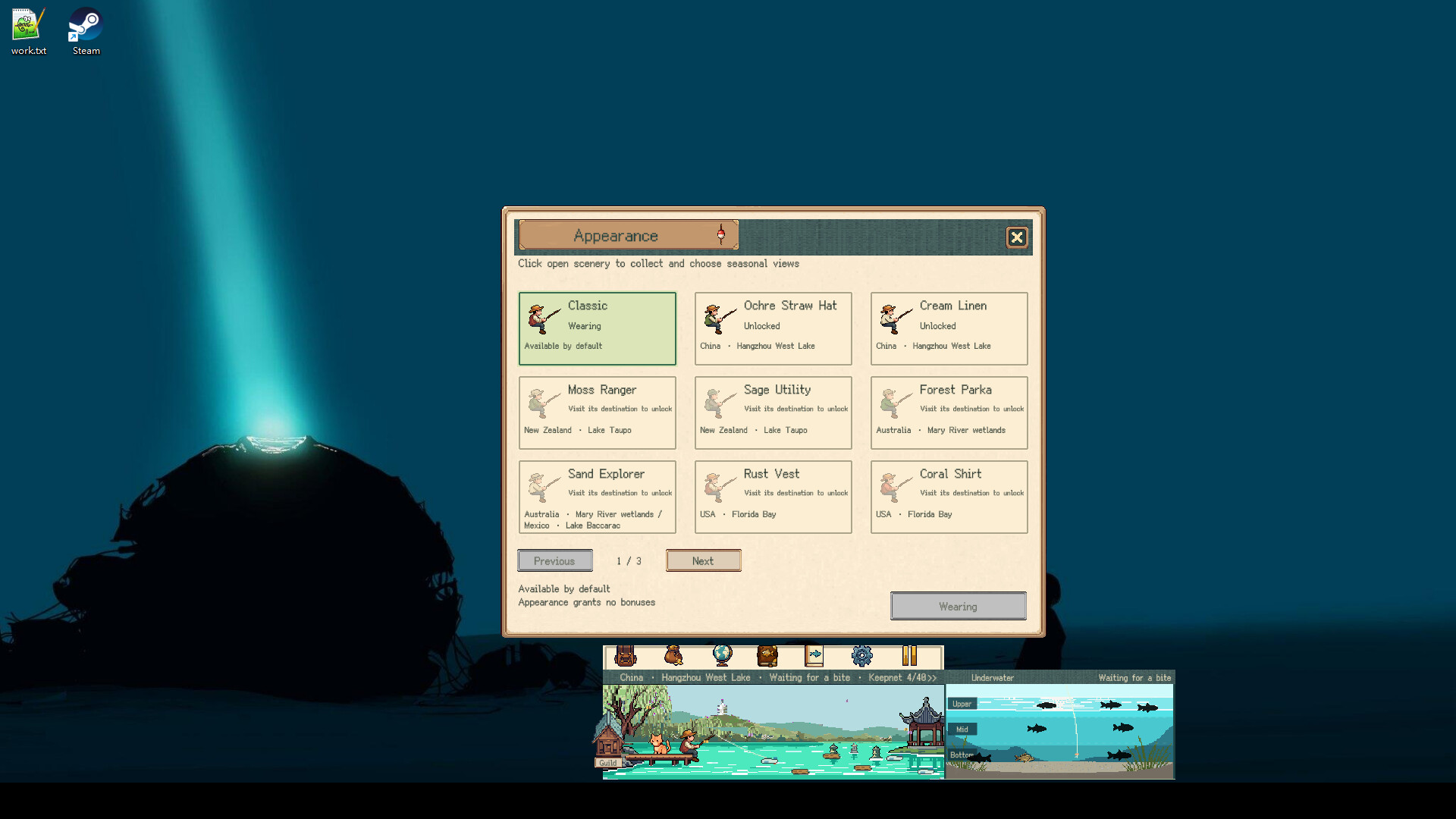
One Last Cast is marketed as a pixel-style desktop AFK fishing game: a lakeside scene that keeps you company while you work, study, or unwind. Getting the window right matters almost as much as bait choice. This guide covers placement, visibility, performance expectations, and workflow habits so the orange-cat shore vignette helps focus instead of fighting it.
Pair this page with Getting Started and How to Play. Confirm hardware on system requirements.
What “desktop companion” means here
Unlike fullscreen adventure games, One Last Cast expects to live in a corner. Store copy talks about placing lake-and-mountain scenery on the edge of the table (screen), watching the float move, and checking the harvest when you rest. Your job is to make that corner readable:
- You should see the fishing float and enough shore context at a glance.
- The window should not cover the chat box, spreadsheet cells, or IDE you touch every minute.
- Alt-tabbing away for hours is fine, but a thin always-visible strip teaches you to check in naturally.
If the game is maximized and forgotten under other windows, you lose the companion fantasy that makes the AFK design special.
Recommended window placements
Single monitor
- Bottom-right or bottom-left corners usually conflict least with title bars and browser tabs.
- Keep height large enough to read the float and companion; ultra-thin strips look cute but hide feedback.
- Avoid covering system tray clocks if you rely on them — or place the game on the opposite corner.
Ultrawide
- Dedicate a far-side column to One Last Cast and keep documents centered.
- Resist stretching the game across half the ultrawide; the pixel scene is composed for a compact companion frame.
Dual monitor
- Put One Last Cast on the secondary display near your peripheral vision.
- Keep Steam overlays and noisy notifications on the primary work screen so bites do not become interruptions.
Laptop + external display
- External as primary work surface, laptop screen as calm fishing pond — a classic cozy setup.
- On battery, verify Windows power plans are not aggressively suspending background apps if you want continuous AFK casting.
Visibility checklist before a work block
- Launch One Last Cast and set bait/tackle for your current goal (how to play).
- Resize to a stable companion size; avoid constant dragging mid-session.
- Confirm you can identify float motion without leaning in.
- Pin or arrange surrounding apps so a single maximize action will not bury the lake forever.
- Mute or lower game audio if you are in calls; the scene still works silently.
- Start auto fishing, then switch to real work knowing the next break has a destination.
Performance and system expectations
Steam minimums are intentionally light: Windows 10 64-bit, roughly an Intel Core i3-class CPU, 1 GB RAM, and about 800 MB storage. Recommended notes mention Windows 11, a stronger CPU, and 4 GB RAM. One Last Cast should coexist with browsers and office apps on modest hardware.
Still, good desktop hygiene helps AFK reliability:
- Close unused Electron apps if RAM is tight.
- Keep GPU drivers reasonable on laptops that share graphics for compositing many windows.
- Do not run heavy fullscreen games on the same machine and expect the companion window to stay perfectly responsive — fullscreen exclusive modes can steal focus and resources.
- Use Steam Cloud so moving between a desktop and a light laptop stays painless.
Full tables live on the system requirements page.
Focus, breaks, and healthy AFK habits
The fantasy is “the float just started to move when work ended.” Build tiny rituals:
- Pomodoro-friendly — every break, open the basket, route commission fish, sell surplus, adjust one gear knob.
- Deep-work friendly — longer AFK blocks with a pre-set loadout aimed at a commission or encyclopedia gap.
- Evening wind-down — leave the scene visible while you journal or browse; use aquarium and travel pages as a quiet gallery (aquarium & companions).
Avoid treating the game like a second job. Commissions and rare variants reward patience more than frantic clicking.
Notifications and Steam overlay
- Disable disruptive overlay hotkeys if they collide with creative software shortcuts.
- Turn off unnecessary Steam notification toasts on the fishing monitor.
- Leaderboards and achievements will still track; you do not need pop-ups for every unlock while coding.
Accessibility and comfort tips
- Sit the window at a height that does not force constant neck turns.
- Increase OS text scaling if UI labels feel small on high-DPI screens; then re-check float visibility.
- If motion distracts you during intense tasks, park the window on a second display or pause until the next break — the design supports checking in when you want to rest.
Troubleshooting common setup issues
Window keeps disappearing under browsers — use OS snap layouts or a simple always-on-top utility carefully; confirm it does not break click-through to the game UI when you manage the basket.
AFK seems paused after locking the PC — some power profiles throttle background processes. Test a short lock, then check whether fishing advanced. Adjust sleep settings if needed.
Laptop fans spin while “just fishing” — something else may be burning CPU. One Last Cast alone should be light; investigate browser tabs and overlays.
Demo versus full game shortcuts — pin the correct Steam app (5508070 demo vs 5508060 full) so you do not launch the wrong build after work.
Tie setup back to progression
A perfect corner window still needs goals:
- Active commissions so basket checks matter.
- Sensible bait and tackle for the current lake.
- Awareness of locations on the West Lake → Lake Biwa route.
- A living progress checklist.
When placement and goals align, One Last Cast becomes what Shorepause Studio pitched: a calm companion that turns spare moments into another cast.
Related links
- Guides Hub · Getting Started · How to Play
- Players · Tier List · Updates · Codes · Links
- Steam: One Last Cast store page · community Discord
Frequently Asked Questions
Quick answers to the most common questions.
Where should I put the One Last Cast window?
A bottom corner on a single monitor, or a secondary display on multi-monitor desks, works best. Keep the float readable without covering your primary work UI.
Does One Last Cast need a gaming PC?
No. Steam minimums are light (Windows 10, modest CPU/RAM, about 800 MB storage). It is meant to run beside everyday apps.
Can I leave the game running while I work?
Yes — that is the intended AFK desktop-companion design. Set tackle first, then check the basket on breaks.
Will locking my PC stop fishing?
It depends on Windows power settings and background throttling. Test a short lock session and adjust sleep options if progress stalls.
Should audio stay on during work?
Optional. Many players mute during calls and keep only the visual scene. The loop does not require listening for bites.